
ELCARO Forecast
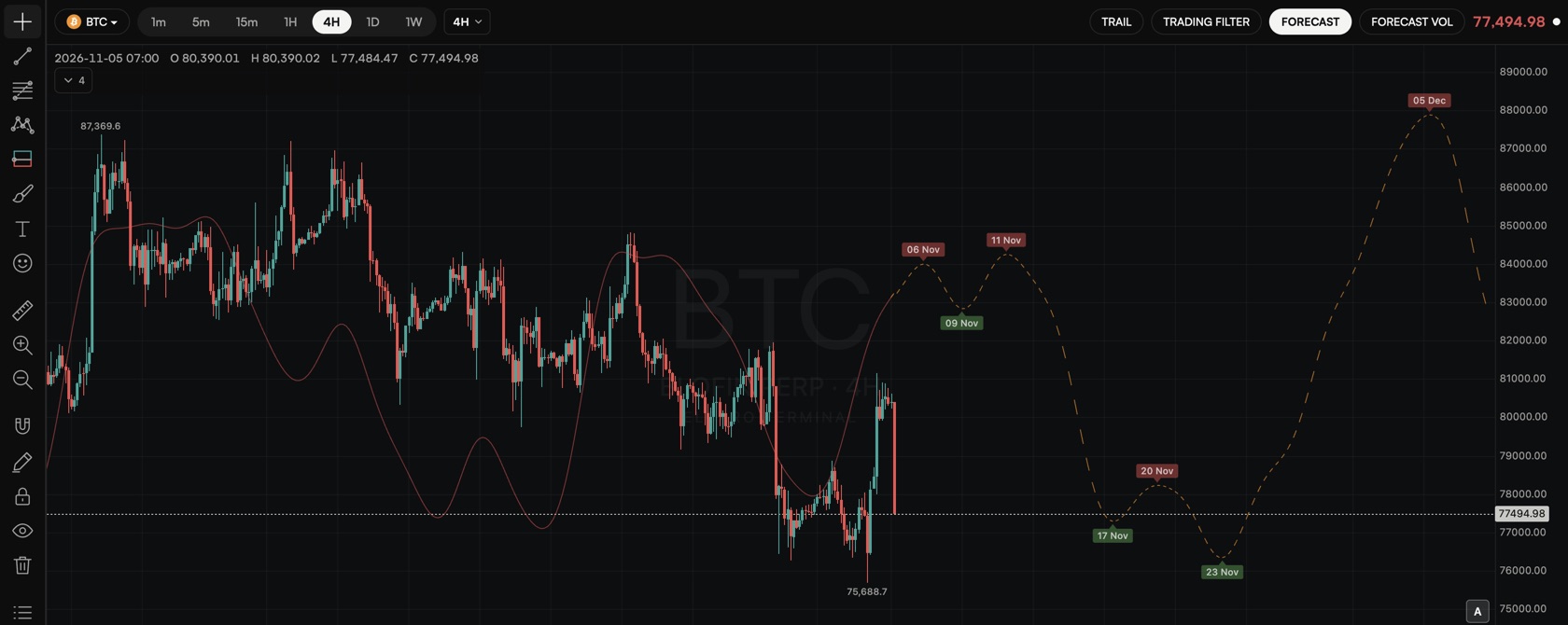
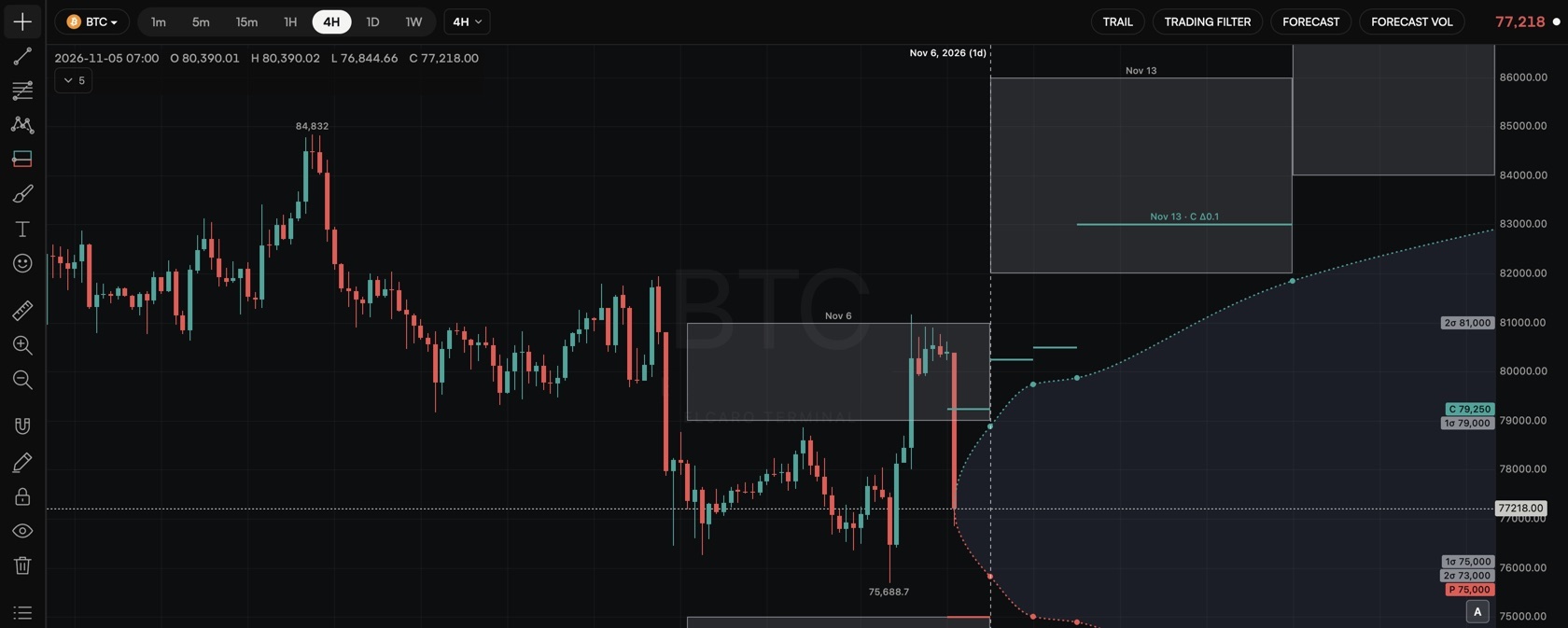
Forecast of the price path with turning dates: the next growth-start and decline-start, drawn ahead of the last bar.
ELCARO Terminal · Live on the web
The forecast with its turning dates, the trail, the trading filter and divergences, options levels and order flow, on a charting workspace built for desktop and tablet. Open it with any ELCARO account.
01 / Indicators
The app gives you the verdict. The Terminal shows the work behind it: every line the ELCARO algorithm draws, what the options market prices in and where the big money moves. These open with a plan. Next to them, 28 standard indicators are free for everyone.
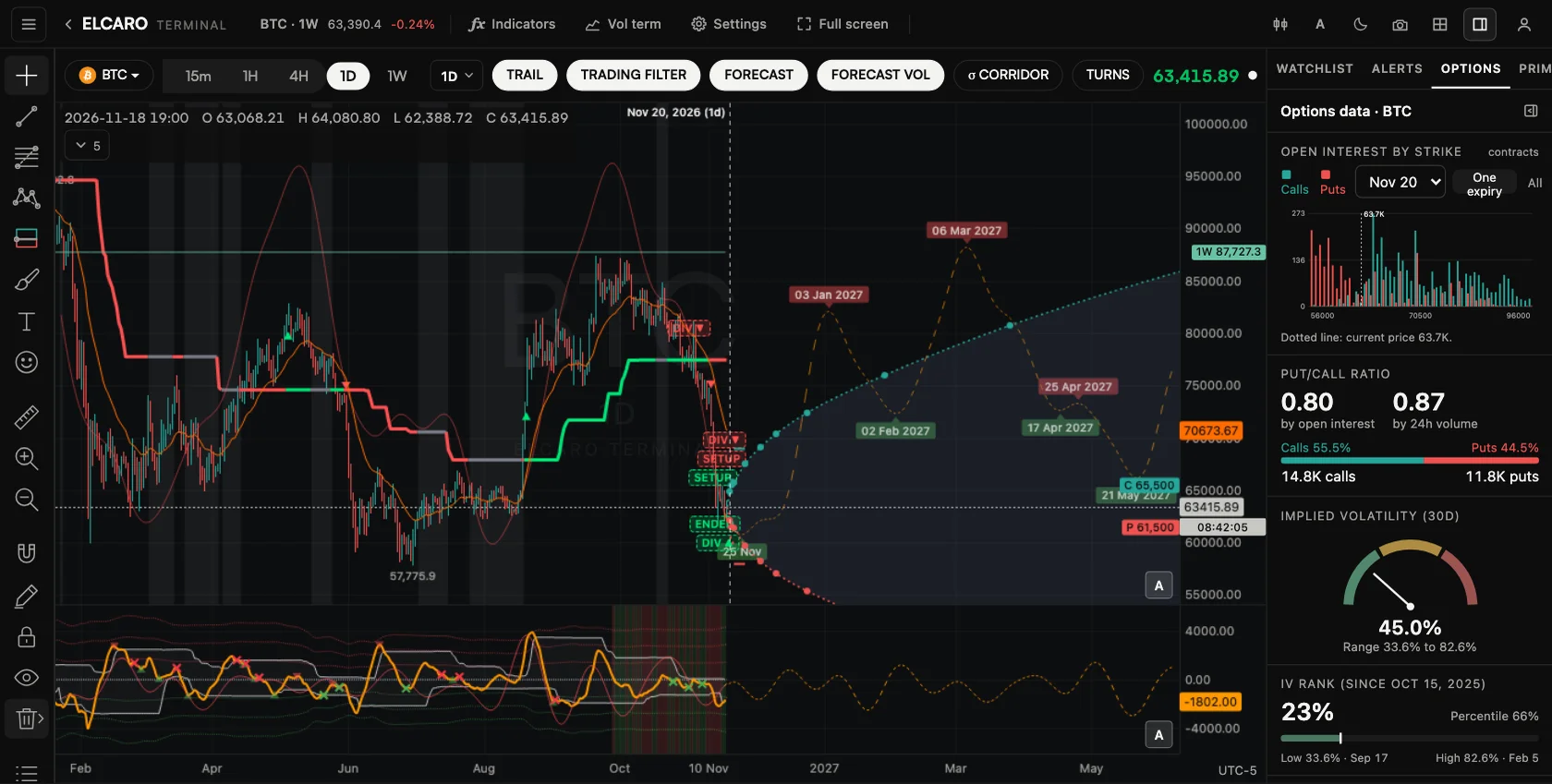
Forecast of the price path with turning dates: the next growth-start and decline-start, drawn ahead of the last bar.
Forecast of the trading-filter line with its own turning dates, so you see where the filter is heading, not only where it is.
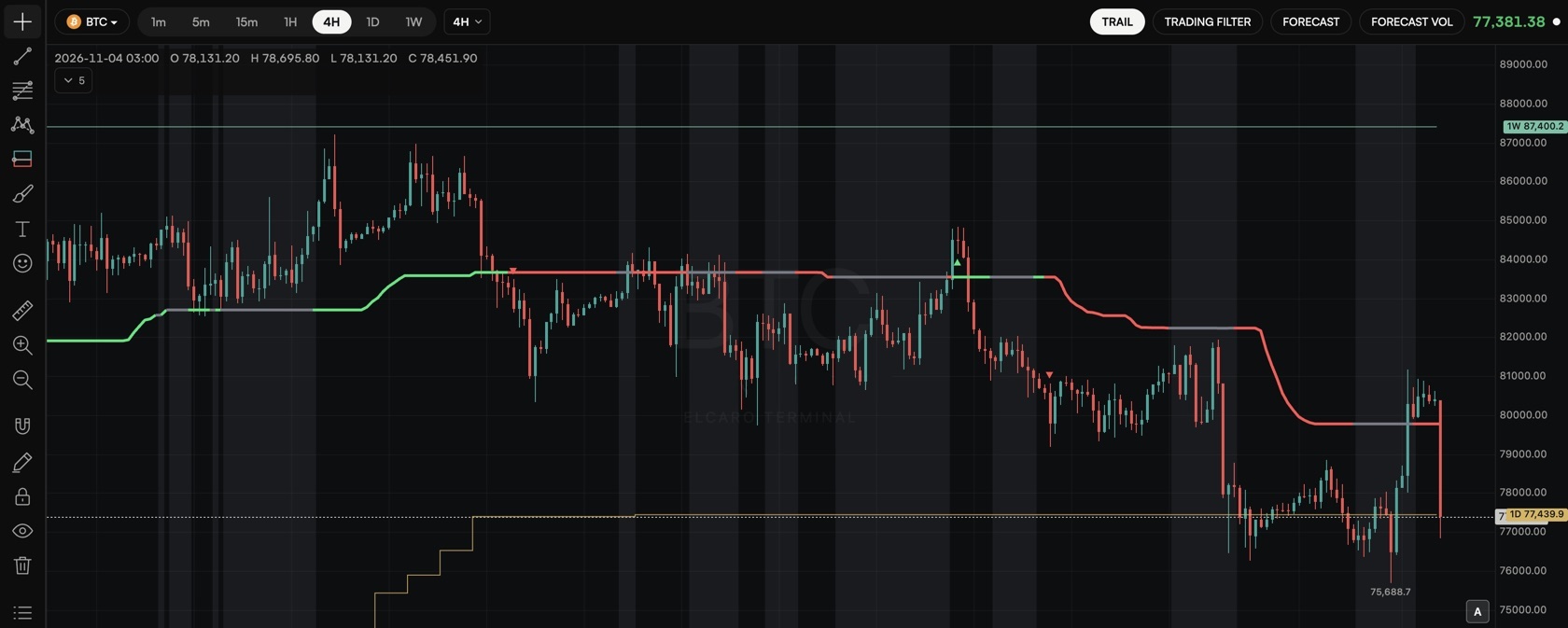
A trailing level that follows the trend, with a marker on the bar where it turns to the growth or decline side.
The Trail levels of higher timeframes drawn on your chart as step lines with a price tag: 1H, 4H and 1D levels on a 15-minute chart.
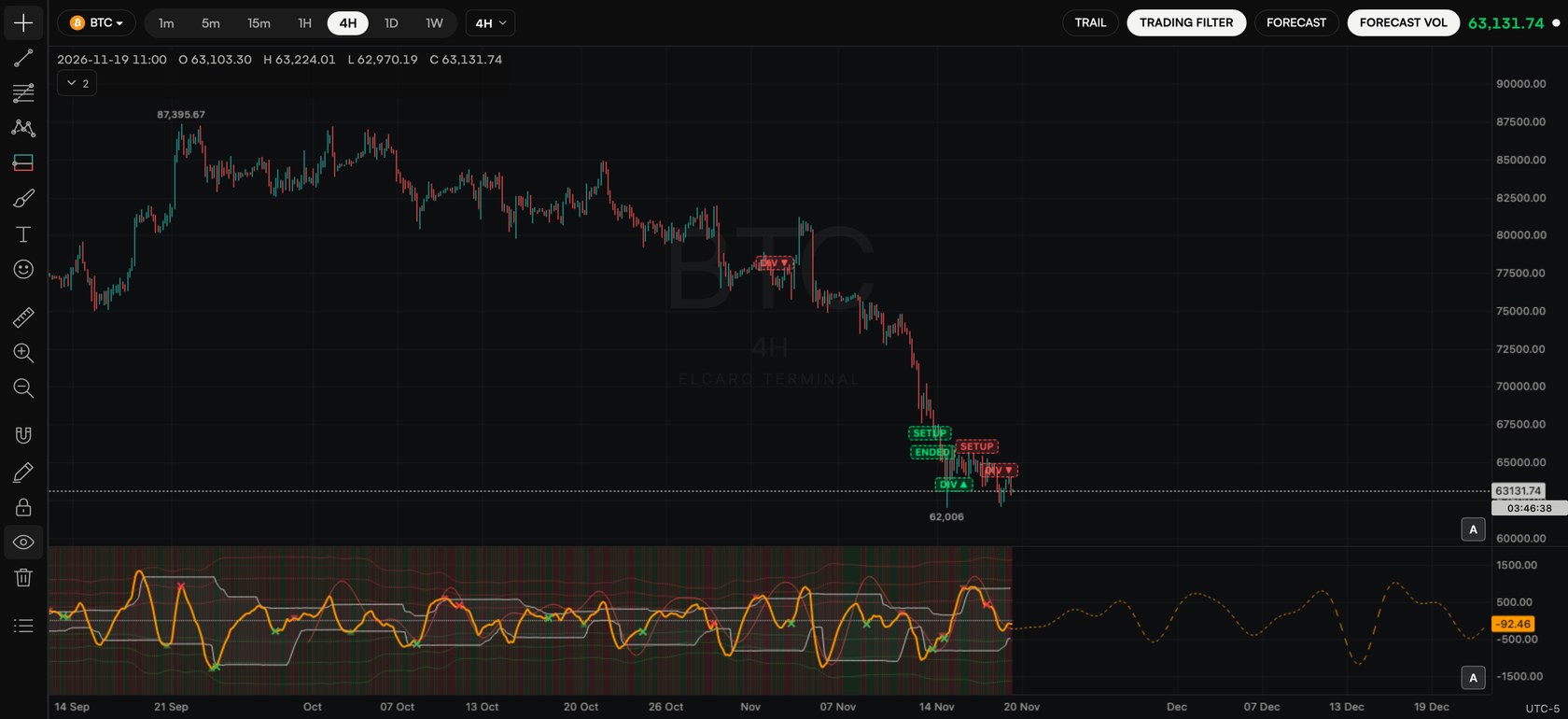
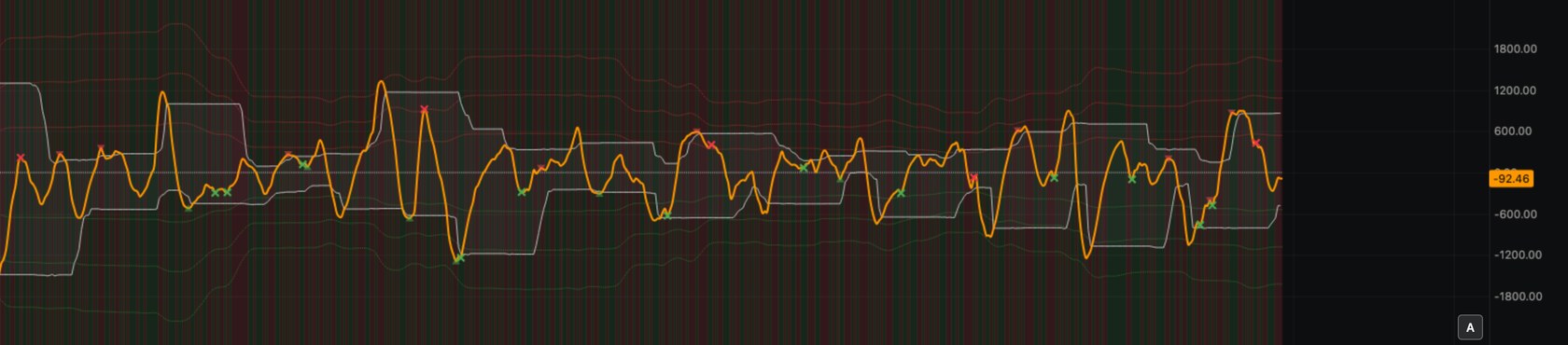
Oscillator pane with bands and growth / decline phases. The same filter the app reads, at full size.
Divergences between price and the filter, marked when they appear on a closed bar and again when they activate.
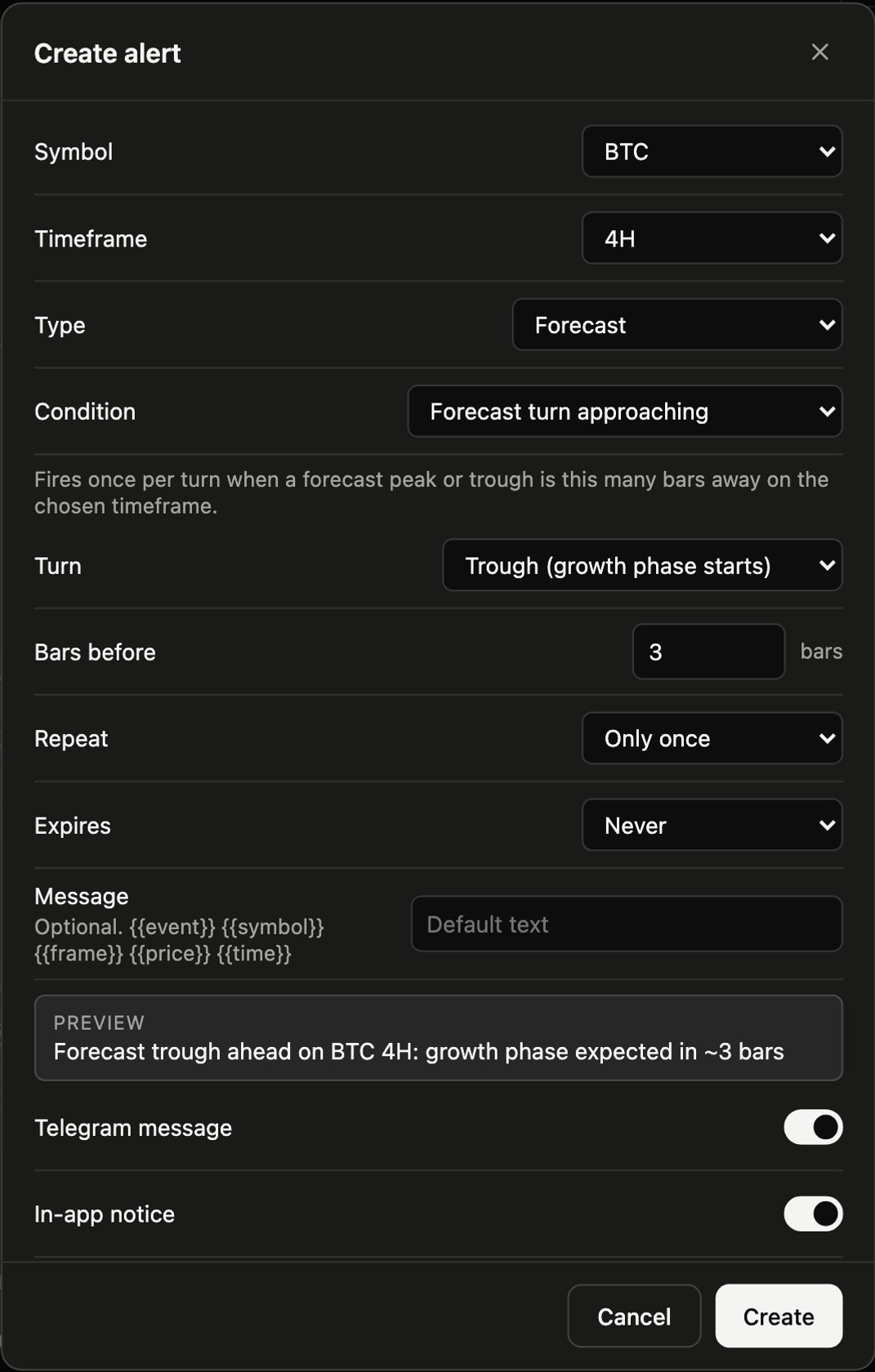
Alerts on forecast turns, Forecast VOL turns, divergences, Trail flips and crosses, and filter crosses.
Where the options market gives about a 10% chance of reaching by each expiry: calls above the price, puts below.
The 1σ and 2σ range by each expiry, built from the at-the-money straddle.
A cone from the current price: the 1σ range at every listed expiry.
Open interest by strike, put / call ratio, implied volatility and IV rank, options volume and recent trades.
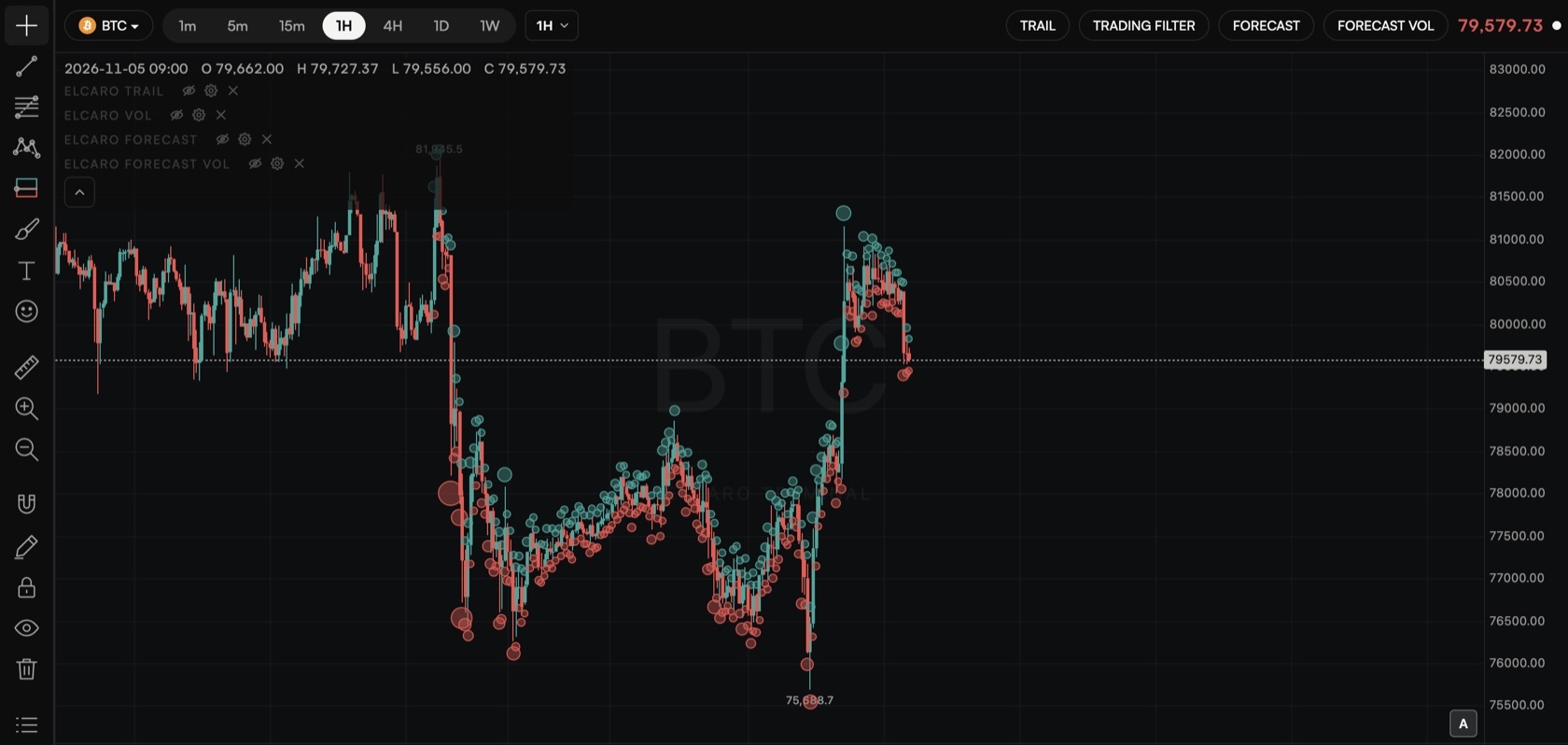
A bubble per bar sized by the amount liquidated, with a summary by exchange.
A price board and the large perpetual and spot prints, filtered by the smallest size you care about.
Net flow of whales, mid-size and retail traders over 1h, 4h and 24h.
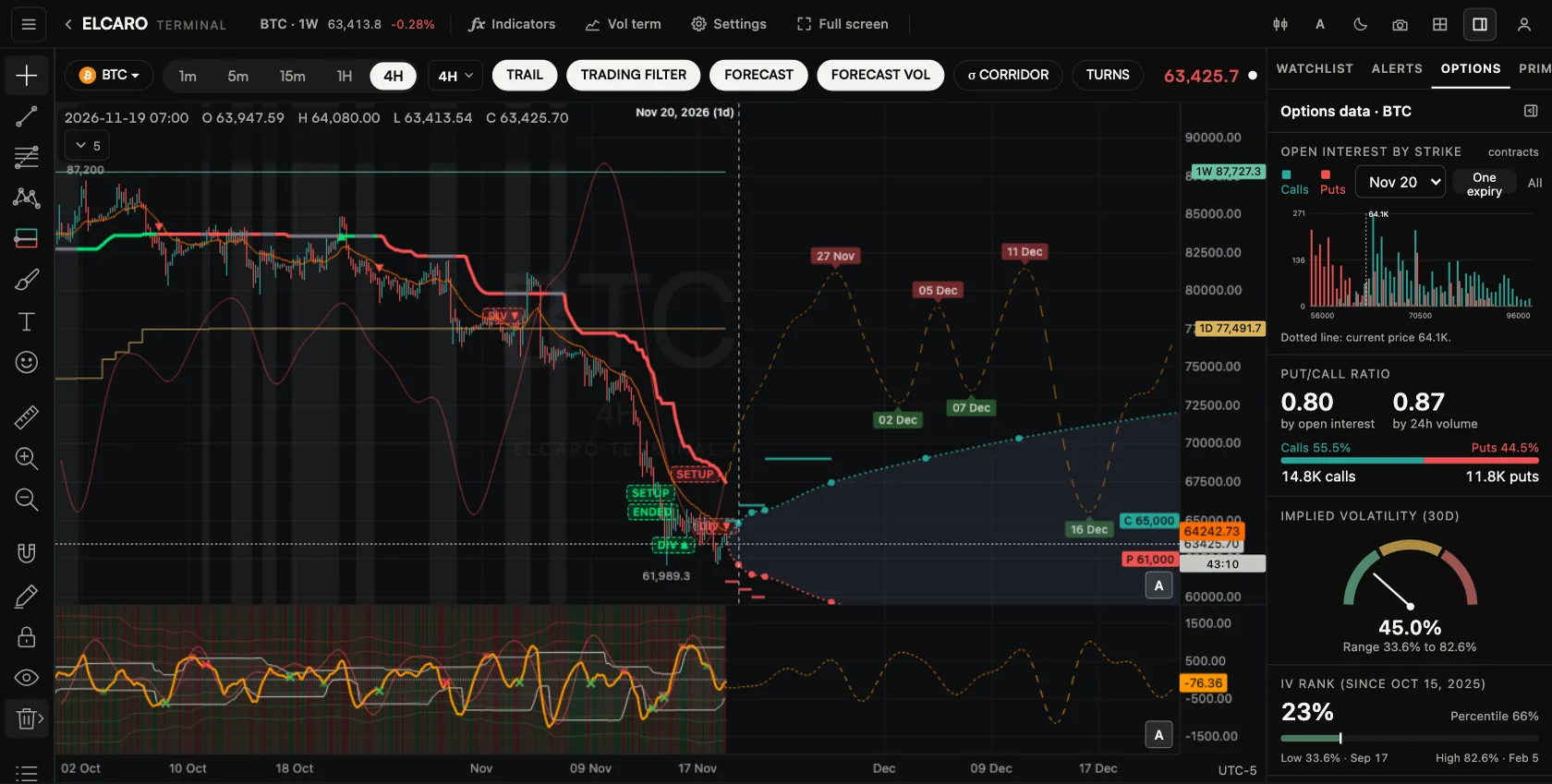
BTC · 4H · ELCARO Forecast, Δ0.1 levels, σ boxes, Expected Move, options data
And many more for free: 28 classic indicators with any ELCARO account, up to 10 on a chart across 4 panes. Without a plan, 2 of them run at a time; a plan allows 10 per chart on the charts it covers.
See each layer
Real captures from the Terminal on BTC. Switch the layers on one at a time and they add up on the same chart.
02 / Alerts
Set an alert on a price, a line you drew or any ELCARO event. It arrives as a Telegram message and as a notice in the app.
03 / Workspace
18 chart types, from candles to Renko, Kagi and point & figure, on a regular, percent, indexed or log scale, timeframes from 1 minute to 1 week or any custom step. 28 standard indicators, up to 10 on a chart across 4 panes.
Trend lines, channels, pitchforks, boxes and more. Text on lines and boxes, a magnet that snaps to bar prices, corner and edge handles. Lock what you placed.
Up to 12 tabs, each with a layout of up to 4 charts. Saved to your account and back where you left them.
Every ELCARO asset in one list: crypto, forex and metals, indices, US stocks and commodities.
Six themes and an accent colour. Shortcuts, double-click to maximize a pane, full-screen mode and chart image export in one click.
04 / Access
Start free. Your app plan opens the ELCARO indicators on its assets and timeframes. The Terminal plan opens everything.
Free
Open the Terminal with any ELCARO account.
Included
Starter, Basic, Pro or Platinum.
or $5,750/yr −20%
Everything, everywhere, at once.
| Account | ELCARO indicators, options levels, order flow | Standard indicators |
|---|---|---|
| Free account | None | 2 at a time across the workspace |
| 14-day free window | BTC on 4H | 2 at a time across the workspace |
| Starter | BTC on 4H and 1D | 10 per chart on those, 2 elsewhere |
| Basic | Your 4 assets on 1H and 4H | 10 per chart on those, 2 elsewhere |
| Pro | Your 8 assets on 1H and 4H | 10 per chart on those, 2 elsewhere |
| Platinum | Your 12 assets on 1H, 4H and 1D | 10 per chart on those, 2 elsewhere |
| Terminal plan | Every asset, every timeframe | 10 per chart everywhere |
Charts, every asset and timeframe, drawing tools and price alerts are open to every account. Options levels need an asset with listed options (crypto and US stocks); order flow covers crypto perpetuals.
The Terminal plan is available on the web and in the Telegram Mini App, and works in every ELCARO app with the same account.
05 / FAQ
A full-size charting workspace in the browser at app.elcaro.app/terminal, built for desktop and tablet screens. It puts every ELCARO algorithm on one chart (forecast, forecast VOL, trail, trail ladder, trading filter, divergences) next to options levels, order flow, 28 free standard indicators, drawing tools and alerts.
Opening the Terminal is free with any ELCARO account: every asset and timeframe on the chart, all chart types and drawing tools, and 2 standard indicators across the workspace. During the 14-day free window of a new account, the ELCARO indicators are open on BTC 4H. The ELCARO indicators come with a plan. An app plan (Starter, Basic, Pro or Platinum) opens them, with options levels and order flow, on the assets and timeframes of that plan. The Terminal plan opens everything on every asset and timeframe and includes everything in Platinum in the app.
On the web at app.elcaro.app and in the Telegram Mini App. It is not sold inside the iOS and Android apps, but once you have it, it works in every ELCARO app with the same account.
The Terminal is designed for desktop and tablet screens. On a phone you can open it from the ELCARO app, but the regular app screens are the better fit for a small display.
As a Telegram message and as a notice in the app. Link Telegram to your ELCARO account to get the messages; without it, alerts show in the app only.
No. The ELCARO forecast is algorithmic: deterministic rules, the same inputs give the same output. The Terminal draws what the algorithm computes. ELCARO is for analysis and education, not investment advice.