
The next turn, with a date on it.
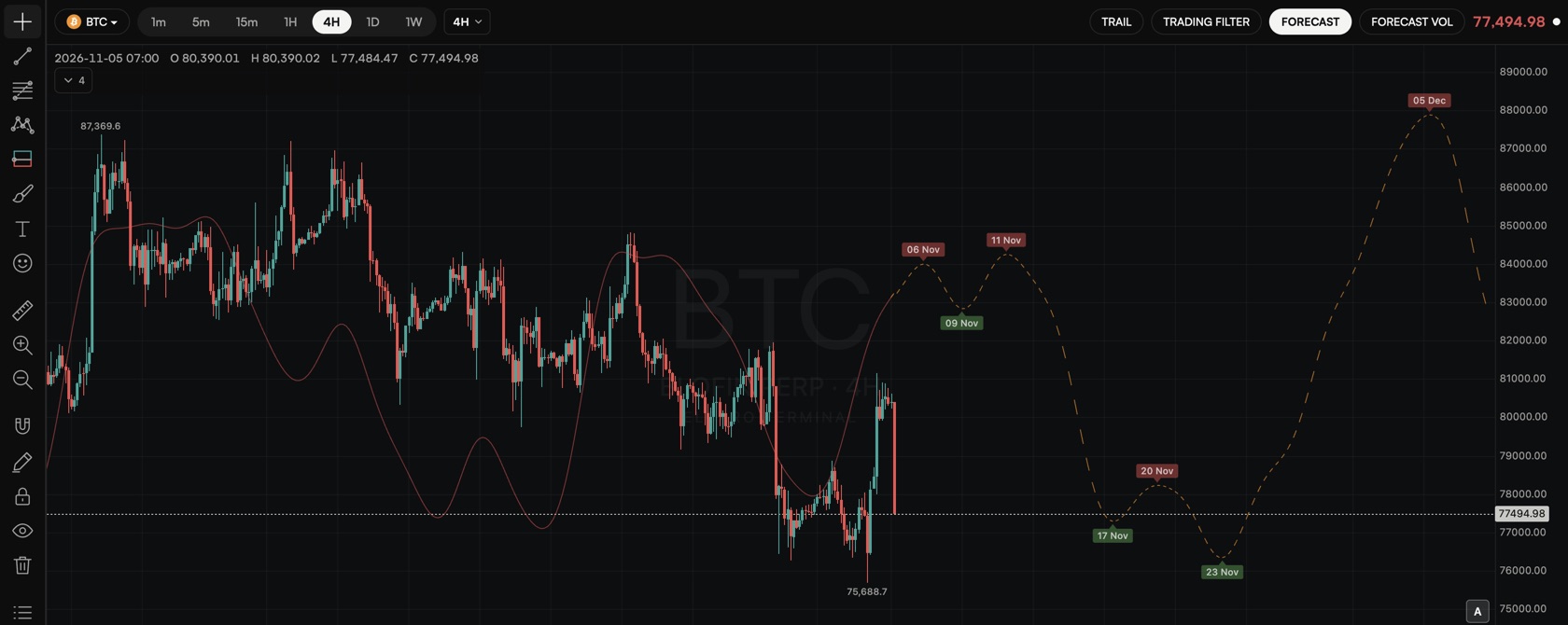
The ELCARO forecast draws where an asset's cycle is heading after the last candle and marks the date of each expected turn: when a growth phase should start, and when a decline phase should start.
Algorithmic, not AI. On every asset and every timeframe from 1 minute to 1 week, within your plan.
01
A path ahead, not a price target
The solid part of the curve follows the cycle on closed bars. The dashed part continues it to the right of the last candle.
- A peak marks the expected start of a decline phase, a trough the start of a growth phase.
- The curve has its own scale: it shows timing and shape, so its height is not a price level.
- Each timeframe has its own cycle, so 1H and 1D can show different turns.
02
Turn dates on the chart
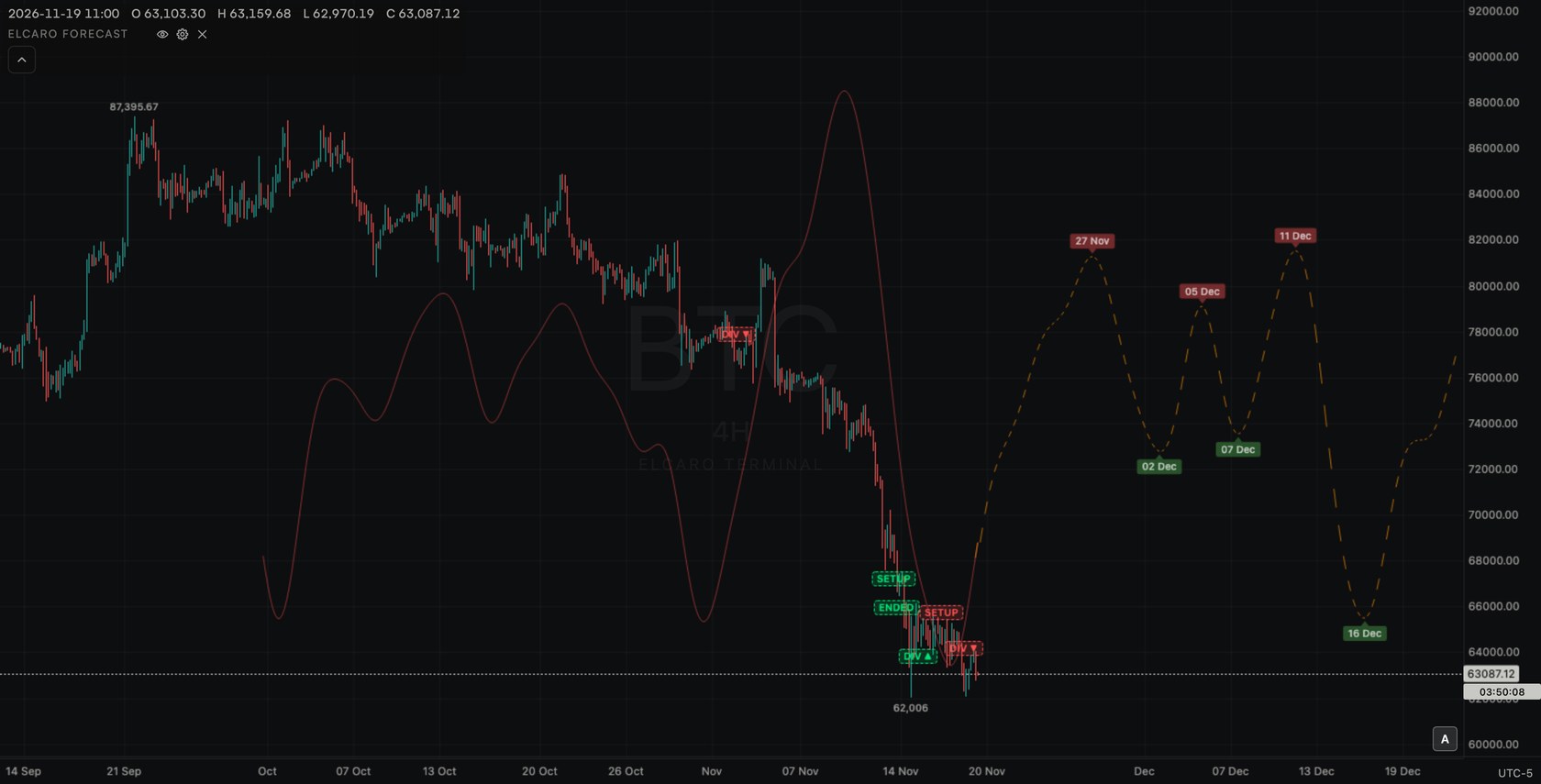
Switch on Turn dates and every peak and trough carries a date chip, in your own time zone.
- Hover a chip for the full date and time.
- Past turns stay on the chart, so you can see how the asset behaved around each of them.
- Set an alert from 1 to 30 bars before the next turn, or when it is reached.
03
Forecast VOL: where the filter is heading
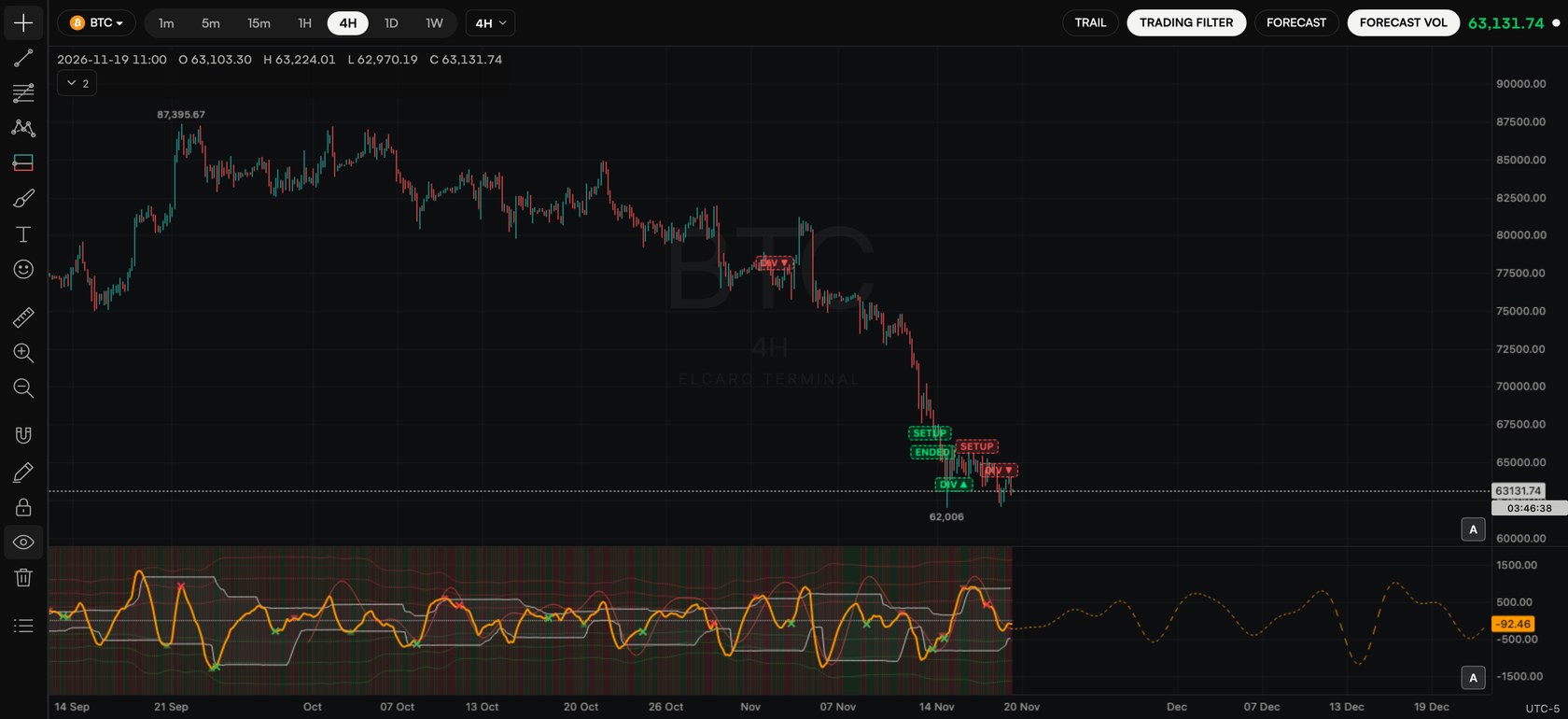
A second forecast for the trading filter line, with its own turn dates, drawn inside the filter pane.
- When the price forecast and Forecast VOL turn around the same time, the picture is easier to read.
- When they disagree, give the timing less weight.
- Read both together with the Trail and the trading filter.
Step by step in the guide
Questions.
What does the ELCARO forecast show? +
The expected timing of an asset's next growth and decline phases on the timeframe you are looking at. A peak on the curve marks where a decline phase is expected to start, a trough where a growth phase is expected to start. It shows "when", not "how far": it gives no price targets.
Is the forecast made by AI? +
No. It is algorithmic: deterministic rules, and the same inputs give the same output. AI in ELCARO only explains readings in plain language.
Can I see the turn dates? +
Yes. Turn on Turn dates in the forecast settings and date chips appear at every peak and trough, in your time zone. Hover a chip for the full date and time.
Can I get a message before a turn? +
Yes. Create a Forecast turn approaching alert for any turn, a peak or a trough, from 1 to 30 bars before it. It arrives in Telegram and in the app.
Which timeframes have a forecast? +
Every Terminal timeframe from 1 minute to 1 week, and custom frames on the Terminal plan, as long as there is enough history. It is not drawn on the monthly frame.
Is it free? +
A new account sees the forecast on BTC 4H during its 14-day free window. After that, an app plan opens it on the plan's assets and timeframes and the Terminal plan on every asset and timeframe.
Related features
Educational tools, not financial advice. ELCARO never places orders for you.