
All updates
 Full guide Alerts in the Terminal
Notifications November 6, 2026
Alerts that keep working while you're away
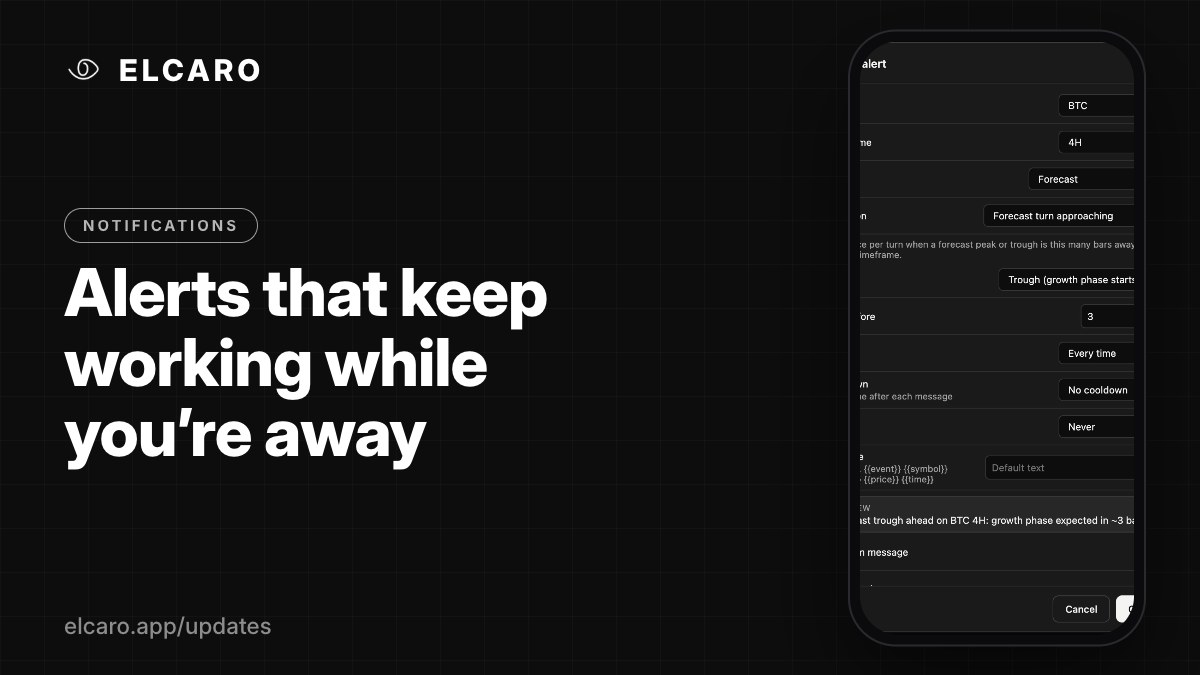
Repeat, cooldown, expiry and your own message text. Delivered to Telegram and the app from our servers, with the Terminal closed.
What it gives you
Terminal alerts run on ELCARO's servers, not in your browser. Close the tab, turn off the laptop: the alert still fires and reaches you.
Make each alert fit
- Repeat: only once, or every time the condition is met.
- Cooldown: none, 1 hour, 4 hours or 24 hours between messages.
- Expires: never, or after 1, 7 or 30 days.
- Message: your own text, up to 200 characters, with placeholders for the event, symbol, timeframe, price and time.
- Where it goes: a Telegram message, an in-app notice, or both.
Where it arrives
Telegram messages come from @ELCARO_bot to the Telegram account linked to your ELCARO account. Tap an in-app notice and the Terminal opens on that symbol and timeframe.
Quick ways to create one
- Right-click the chart → Add alert at , or press Alt+A.
- Right-click the trading filter pane for filter and divergence alerts.
- Draw a line and press Alert in its style bar.
Good to know
You can keep up to 100 active alerts. In Settings → Alerts you can also turn on a sound and browser notifications.