
All updates
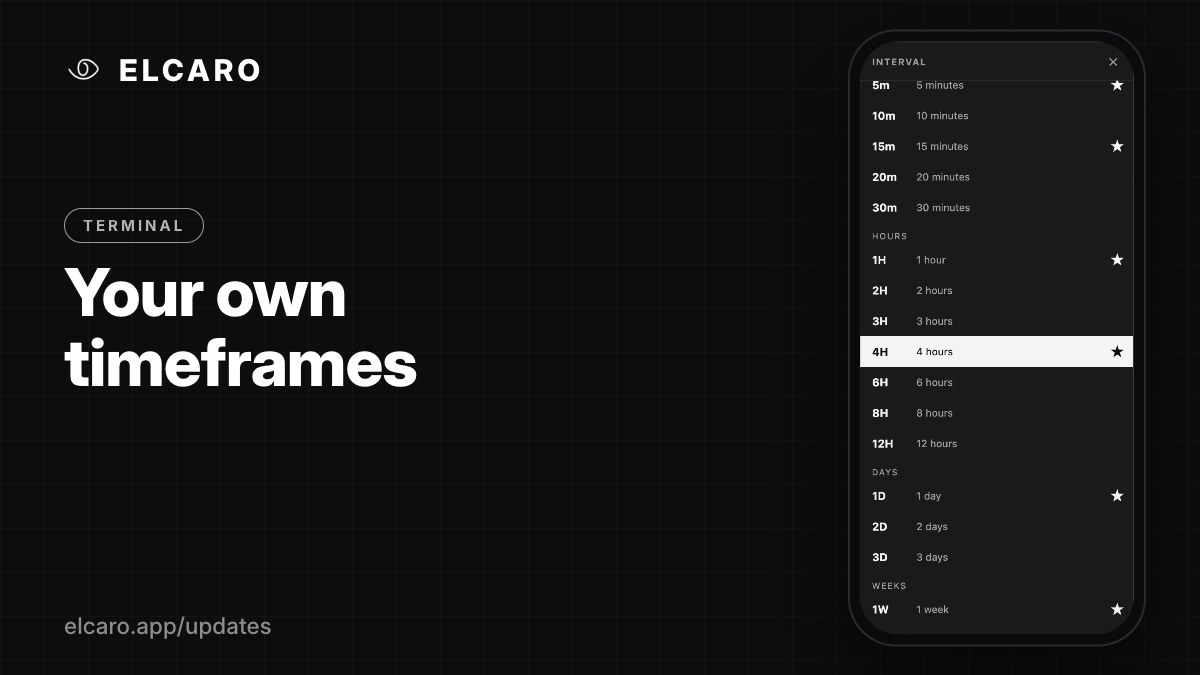 Full guide Timeframes, custom intervals, chart types and scales
Terminal November 6, 2026
Your own timeframes
Beyond 1m to 1W: add 2m, 10m, 2h, 12h, 3D, 1M and more, and star the ones you use most.
What it gives you
The built-in timeframes are 1m, 5m, 15m, 1H, 4H, 1D and 1W. When you need something in between, add your own.
How to add one
Click the + next to the timeframes in the header. The list shows every interval: 2m, 3m, 10m, 20m, 30m, 2h, 3h, 6h, 8h, 12h, 2D, 3D and 1M. Star the ones you use and they stay in the header. Choose Add custom interval… for more.
Good to know
- Bars are aligned to UTC, so a 3D bar may open on a different day than on other platforms.
- Some short intervals are only available on crypto assets.
- With the Terminal plan, the ELCARO indicators work on custom intervals too. An alert created on a custom interval runs on the nearest built-in timeframe below it.