
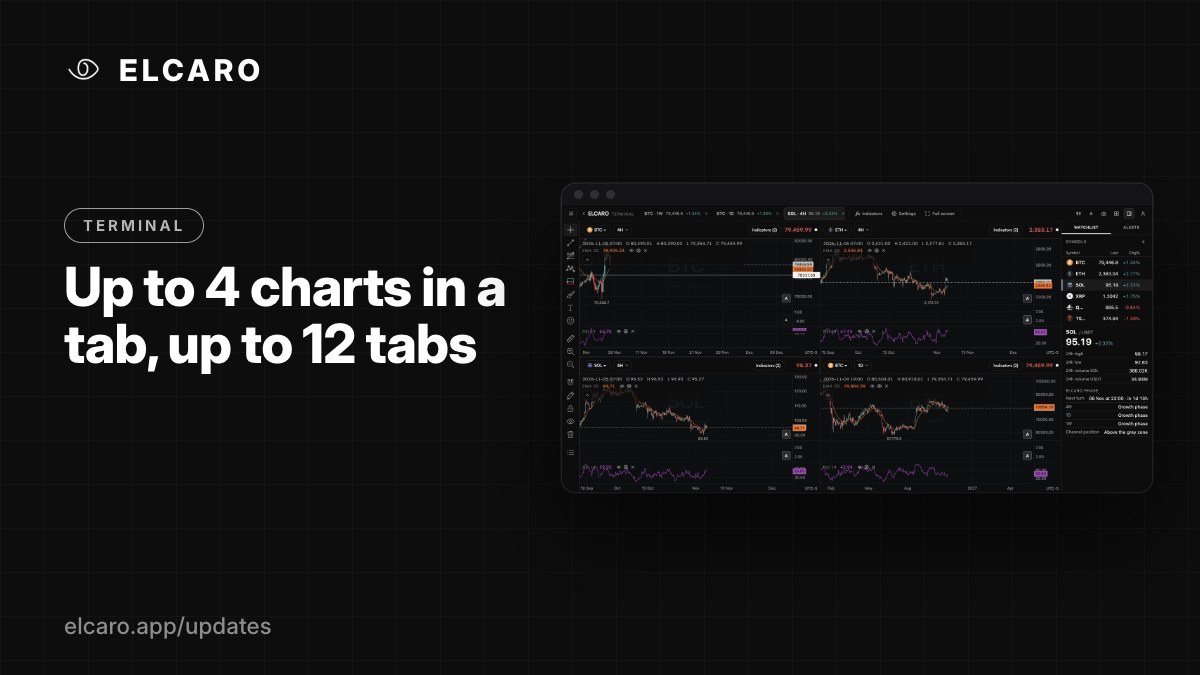
Up to 4 charts in a tab, up to 12 tabs
Ten layouts, synced symbol, timeframe and crosshair, and up to 12 tabs, each with its own setup. Free for every account.
What it gives you
Watch several timeframes or assets at the same time. Split a tab into up to four charts, and keep different ideas in different tabs.
Layouts
Click Layout and sync in the header. Choose from 10 layouts: single chart, 2 columns, 2 rows, 3 columns, 3 rows, 1 + 2, 2 + 1, 1 over 2, 2 over 1, or 4 charts. Drag the dividers to resize; double-click to make them equal.
Sync
In the same menu, sync the charts of a tab by symbol, interval, crosshair (on by default), time or date range. A classic setup: one asset, four timeframes, symbol synced, so changing the asset changes all four.
Tabs
Open up to 12 tabs. Each tab keeps its own layout, charts and sync settings, for example one tab for Bitcoin across timeframes and one for the assets you watch.
Good to know
Your tabs, layouts and settings save themselves to your account and follow you to every device.