
All articles
ELCARO Terminal
Divergences in the Terminal
Regular and hidden divergences on the trading filter, how they appear and activate, the DIV chips on the price chart and divergence alerts.
A divergence is a disagreement between the price and the trading filter. ELCARO finds them for you and marks them in two places.
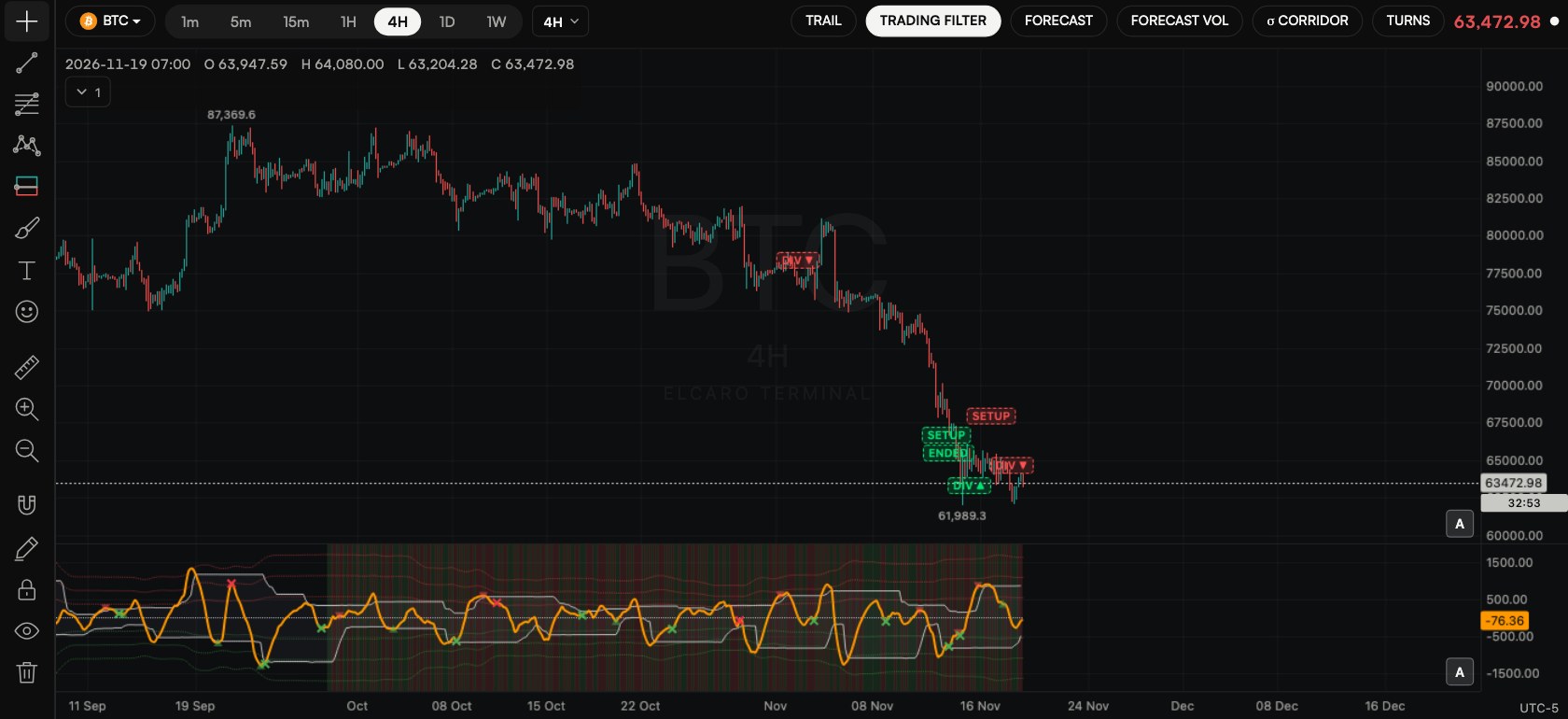
Where they show
- In the trading filter pane: regular divergences are small crosses, hidden divergences are small triangles. Green is bullish, red is bearish.
- On the price chart: a DIV chip where a divergence activates. Hover it for the details.
Two stages
- Appears: the divergence is confirmed on a closed bar. The mark shows in the filter pane.
- Activates: VOL then crosses the centre line in the divergence's direction. The DIV chip appears on the price chart.
Regular and hidden
- Regular: the price makes a new high or low, but the filter does not follow. It often shows the move losing strength.
- Hidden: the filter makes a new high or low while the price does not. It often shows the current trend still has room.
Switch them on
- Step 1. Turn on the trading filter. The marks in its pane show automatically.
- Step 2. For the DIV chips on the price chart, open ELCARO VOL settings and check that Divergence markers is on (it is by default).
Divergence alerts
- Step 1. Right-click the trading filter pane and choose a divergence alert, or open Create alert → Divergence.
- Step 2. Choose Divergence appeared or Divergence activated.
- Step 3. Set the direction (any, bullish, bearish) and the type (any, regular, hidden).
- Step 4. Click Create.
In the news: divergences in the terminal
Read next
The trading filter and sigma levels
The trading filter pane step by step: VOL, the bands, the centre line, sigma levels, trend highlight, resizing the pane and alerts from a right-click.
Alerts in the Terminal
How to create every kind of alert step by step, what repeat, cooldown and expiry do, message templates, delivery to Telegram and the app, and the limits.
Divergences, regular and hidden
When the price and the filter disagree — and why those moments are marked separately.