
Three timeframes, one status.
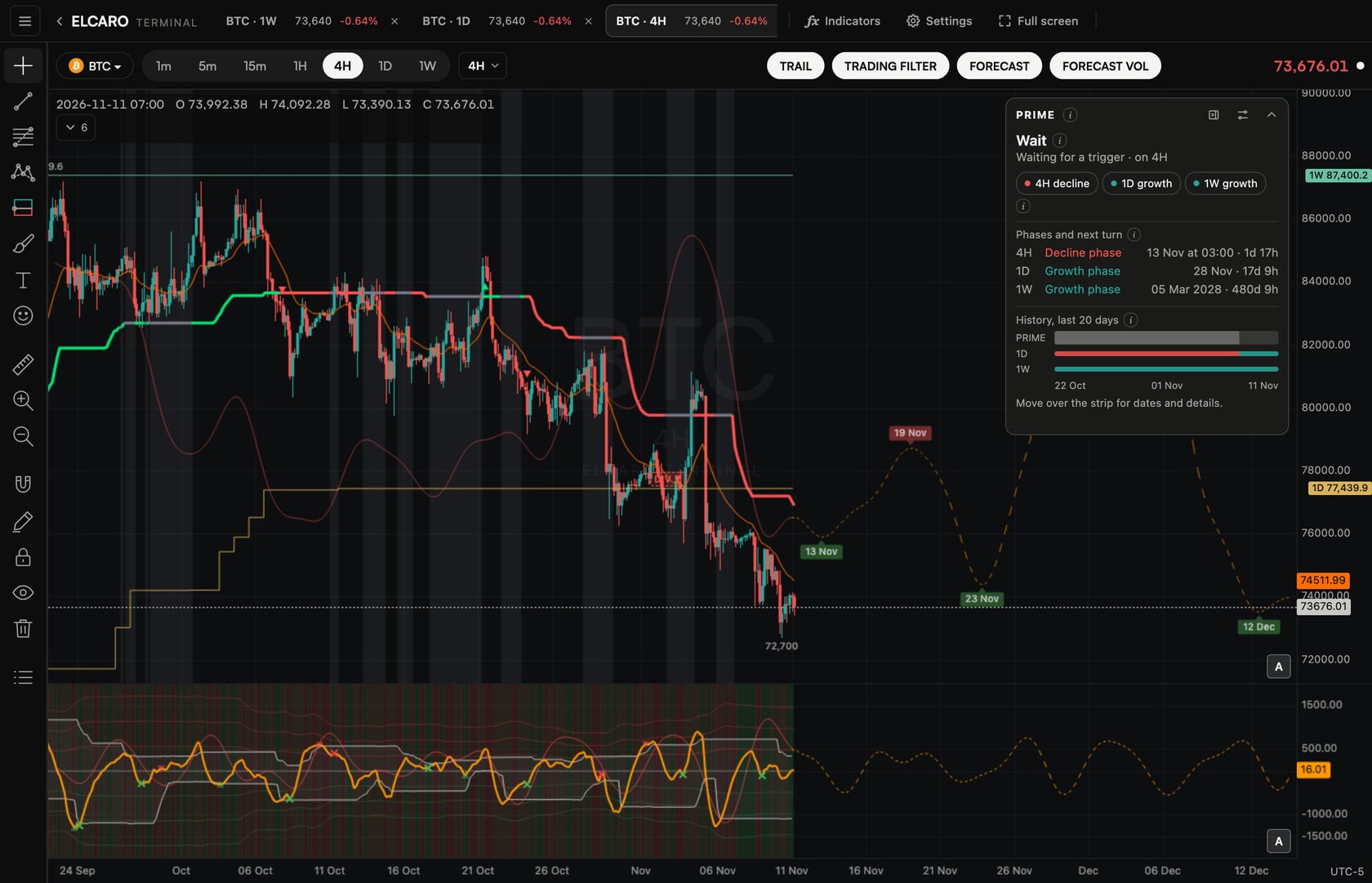
PRIME reads the 4H chart in the context of the daily and weekly phases and sums them up in one line: wait, a setup, a running setup, or stand aside. It is a reading of the algorithm's phases, not a trade instruction.
In the ELCARO Terminal, on every asset your plan covers on 4H. The Terminal plan covers them all.
01
Five statuses, one line
The panel answers one question: do the 4H, daily and weekly phases line up right now?
- Wait: no setup right now. PRIME is waiting for a trigger inside the daily phase.
- Stand aside: the daily and weekly phases point different ways. No new setup until they agree.
- Growth or decline setup: a trigger fired on 4H in the direction of the daily phase. The setup starts from the next 4H bar.
- Phase active: the setup is running, until the protective level is touched or the daily phase changes.
- Phase ended: the line under the title says why it ended.
02
Built from the layers you already read
A setup needs a 4H trigger in the direction of the daily phase. PRIME uses three of them.
- A VOL band cross or a VOL zone recovery on the trading filter. Trading filter
- An activated divergence, but only one that matches the daily phase and is followed by VOL crossing its centre. Divergences
- The phases themselves come from the forecast on 4H, 1D and 1W. Phases and dates
03
Everything on one panel
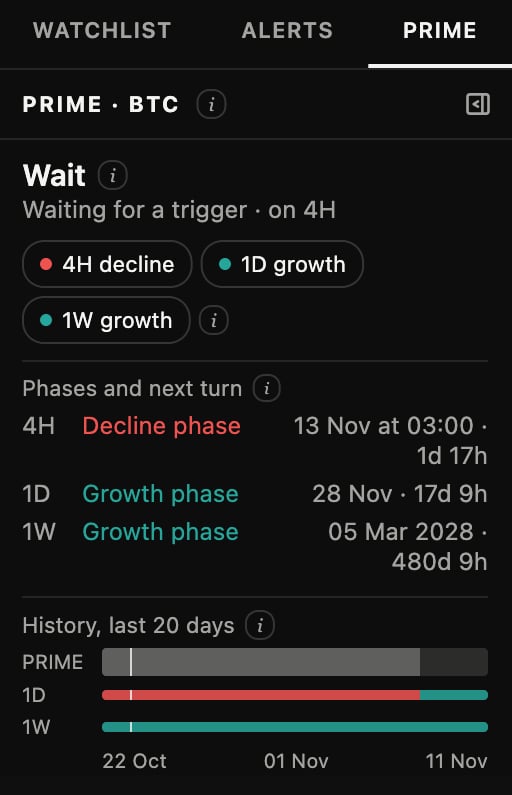
Float it over the chart or dock it into the right panel as its own tab.
- Phase chips for 4H, 1D and 1W: the current phase on each timeframe.
- Next turn: when the forecast expects each phase to turn, with a countdown.
- Protective level: a price level fixed when a setup starts. It never moves while the setup runs. If price touches it, the setup ends at once.
- History: a strip with the recent statuses. Hover a run to see it.
- An alert when the status changes, delivered to Telegram. Alerts
04
Rules that keep it calm
PRIME is built to say little and change only when the data does.
- One setup per daily phase. After it, PRIME waits for the next daily phase.
- Closed bars only: a status changes when a 4H bar closes or the daily phase turns.
- Always calculated on 4H, whatever timeframe the chart shows.
- With too little history on a higher timeframe, it shows Wait with a note about missing data.
Step by step in the guide
Questions.
Is PRIME a trade recommendation? +
No. It sums up how the algorithm's phases line up across 4H, 1D and 1W. What you do with that is your decision. ELCARO never places orders for you.
Why does it say Stand aside? +
The daily and weekly phases point in different directions. PRIME waits until they agree again before a new setup can form.
Does the protective level move? +
No. It is fixed when the setup starts and the panel shows its price. It does not move while the setup runs. If price touches it, the setup ends at once.
Can I get told when the status changes? +
Yes. Create a Terminal alert on a PRIME status change, for one status or any change. It is delivered to Telegram, with the Terminal closed.
Does it change on the 1H chart? +
No. PRIME is always calculated on 4H, whatever timeframe the chart shows.
Which plans include PRIME? +
Every plan, on the assets it covers on 4H, including the 14-day free window on BTC 4H. The Terminal plan covers every asset. On a 4H-only plan PRIME still reads the daily and weekly phases.
Why is PRIME locked on some assets? +
It works on the assets your plan covers on 4H. On an asset outside your plan the panel is locked.
Related features
Educational tools, not financial advice. ELCARO never places orders for you.