
Using the Terminal without a plan
What you can do in the Terminal for free, the limit of 2 standard indicators, and a simple free setup step by step.
Every signed-in account can use the Terminal as a full charting workspace, with no plan and no time limit.
What is free
- Every asset and every timeframe, including custom intervals, with full history.
- All 18 chart types, ready-made themes with an accent colour, and all 4 price scales.
- All 80+ drawing tools.
- Up to 12 tabs and up to 4 charts per tab, with sync.
- The watchlist.
- Price, time and drawing-line alerts, delivered to Telegram and the app.
- Snapshots of a chart or of the whole layout.
- 2 standard indicators at a time.
The 2-indicator limit
- The limit counts across the whole workspace: all tabs and all charts together.
- The Indicators window shows how many you use, for example "1 of 2 standard indicators in use".
- When you try to add a third one, a window explains the limit. Remove one first, or choose a plan.
- If you had more indicators with a plan before, the extra ones are paused, not deleted. They come back when you choose a plan again.
A free setup in five steps
- Step 1. Pick an asset and a timeframe in the header.
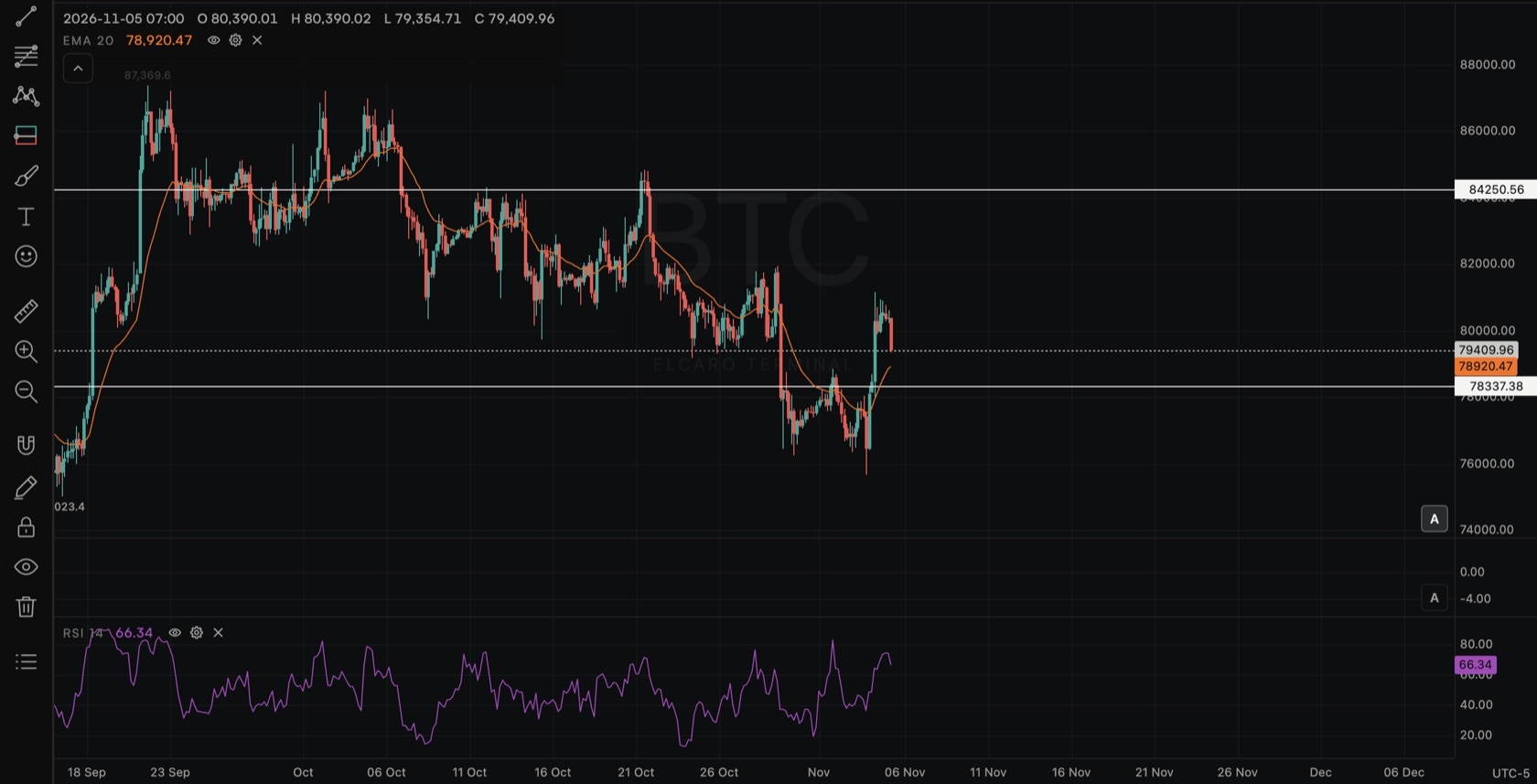
- Step 2. Open Indicators and add two indicators that complement each other, for example EMA on the price chart and RSI or Volume in a pane.
- Step 3. Draw your key levels with Horizontal line (
Alt+H). - Step 4. Select a line and click Alert in its style bar, so you hear about it when the price gets there.
- Step 5. Click Layout and sync, choose 2 columns and set the second chart to a higher timeframe for context.
What a plan adds
The ELCARO indicators (Forecast, TRAIL, trading filter and the rest), ELCARO alerts, ELCARO Options and order flow, and more standard indicators per chart. New accounts also get a 14-day free window with the ELCARO indicators on Bitcoin 4H.
In the news: terminal for free
Read next
Terminal plans and access
What every account gets, what the 14-day free window opens, what each app plan opens in the Terminal and what the ELCARO Terminal plan adds.
Standard indicators
The 28 classic indicators of the Terminal, the two groups, how to add, set up, hide and remove one, and how many fit on a chart.
Drawing tools
How the drawing toolbar works: picking a tool, placing points, selecting and styling a drawing, the magnet, drawing mode, locking, hiding and removing, undo, saving and the phone.